Your disk, drawn as bubbles.
Spacevista scans your Mac and turns every folder into a bubble the size of the space it takes. The heavy stuff is the first thing you see.

Free for macOS 26 Tahoe and later.
Colour says how much of its folder an item takes:
- over a quarter
- 15 to 25%
- 5 to 15%
- under 5%
What’s actually in “System Data”?
macOS lumps tens of gigabytes into one grey bar and leaves it at that. Those gigabytes are real folders: app caches, developer tools, simulators, old backups, containers.
Scan your disk and Spacevista shows them by name and size — hidden folders included — so you can decide what goes.
What macOS shows: one grey block of 128 GB.
What Spacevista shows: those same 128 GB, folder by folder.
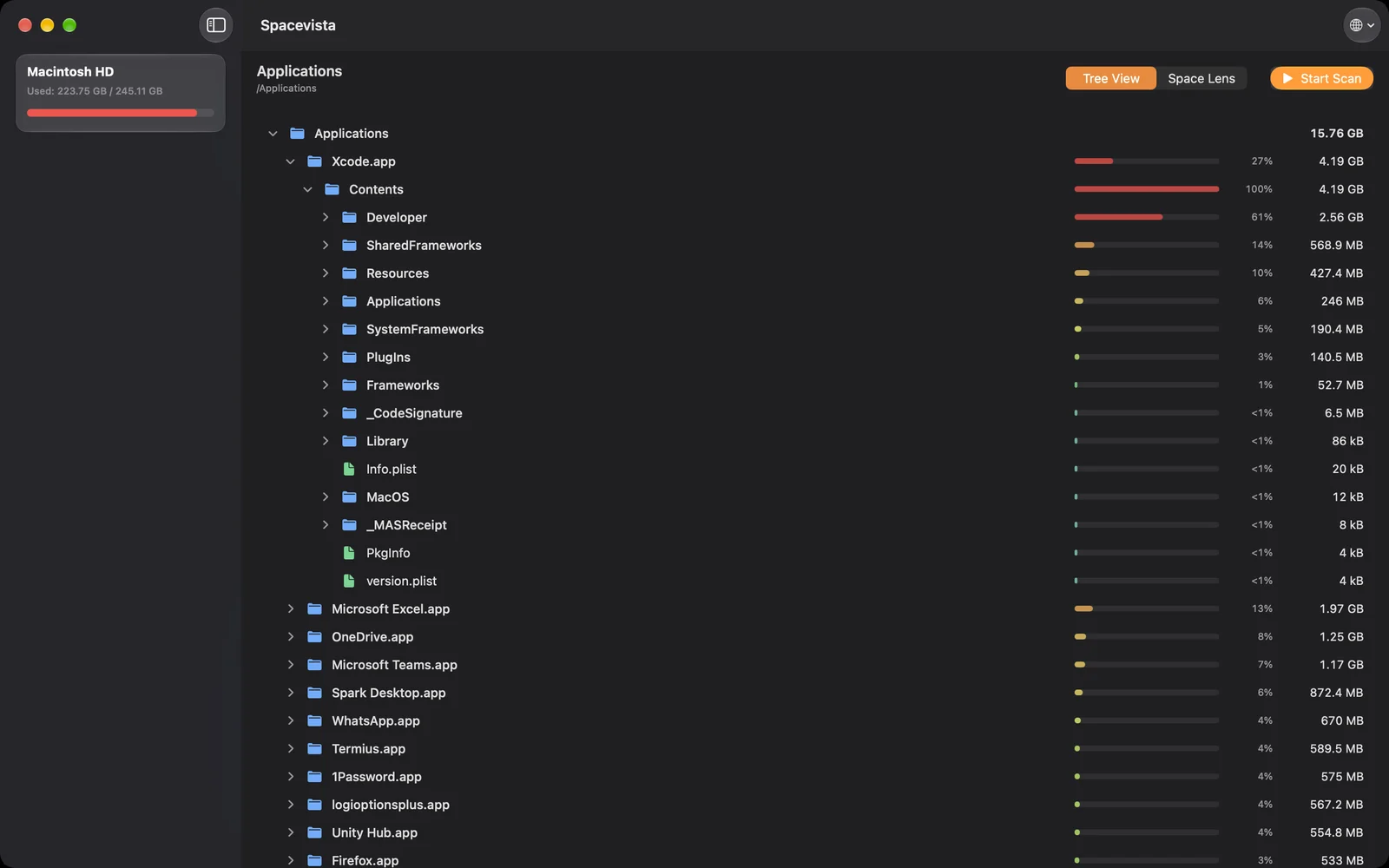
Bubbles or a list. Same scan.
Space Lens is the bubble map above. Prefer rows? Tree View ranks everything by size, with the same colours and a percentage for each item — and the whole list stays quick even in folders with thousands of files.
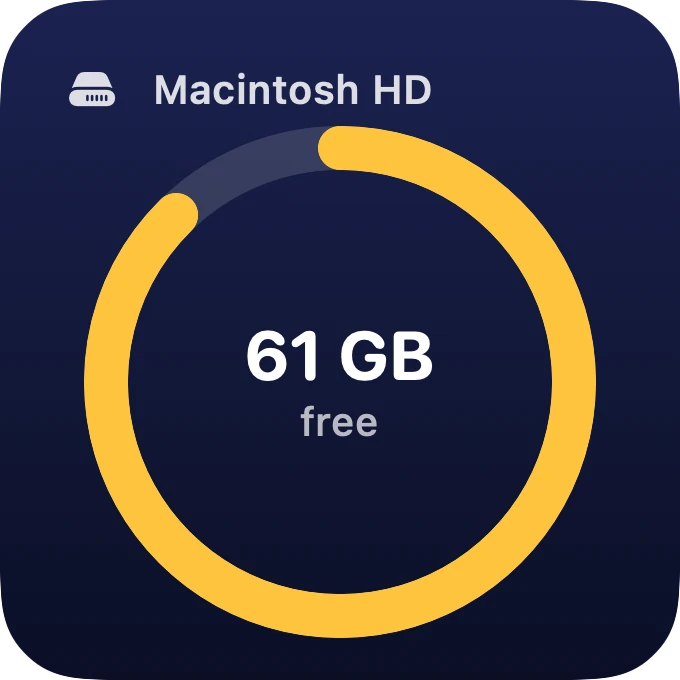
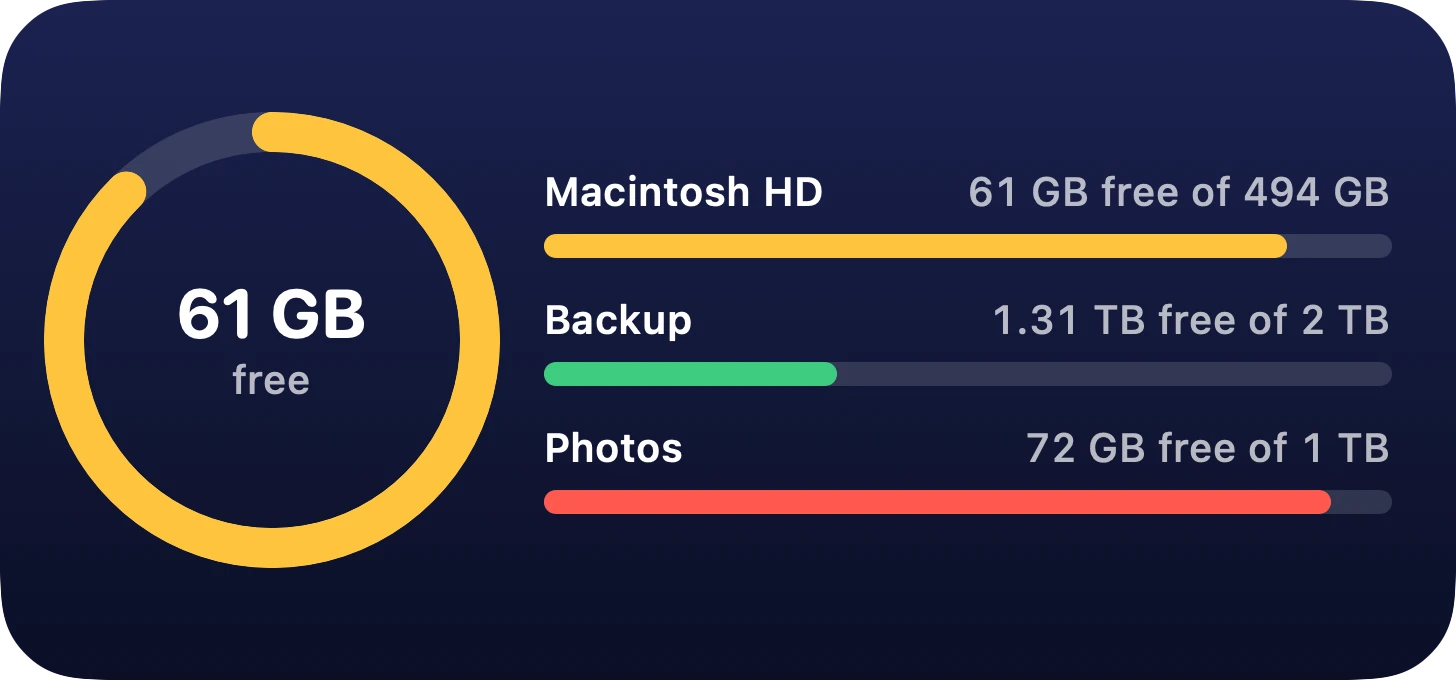
Free space, on your desktop.
Add the Disk Space widget to your desktop or Notification Center. The small one watches your startup disk; the medium one, up to three drives. They turn amber, then red, as a disk fills up.
Private, free, and careful with your files.
- Free
- No price, no subscription, no ads.
- Nothing leaves your Mac
- The app has no network access at all. No accounts, no analytics.
- Only what you allow
- It runs in the App Sandbox and reads only the drives and folders you pick.
- Deletes ask first
- Items go to the Trash. Permanent deletion shows the size and item count before it happens.
- Real sizes
- Measures space actually used on disk and never counts the same data twice.
- English and Spanish
- Switch languages inside the app, whatever your Mac is set to.

See what fills your Mac.
Free. Requires macOS 26 Tahoe or later, including macOS 27 Golden Gate.